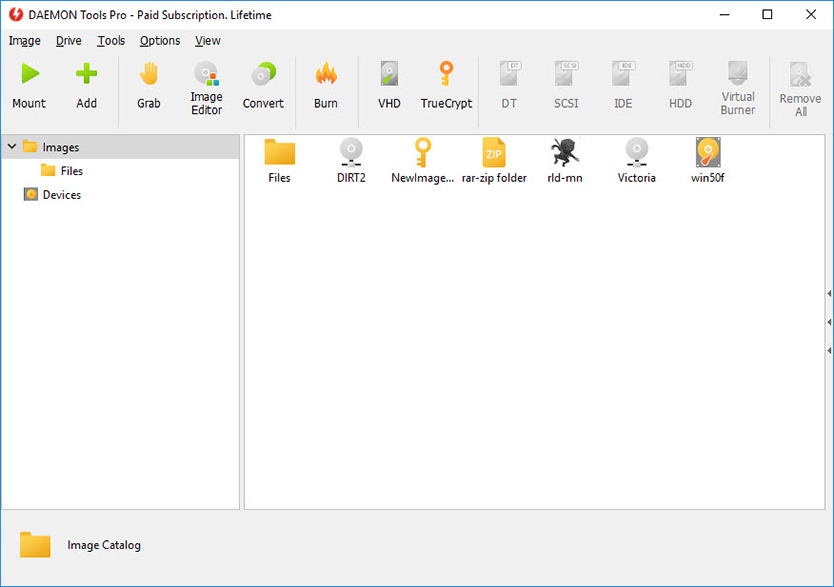
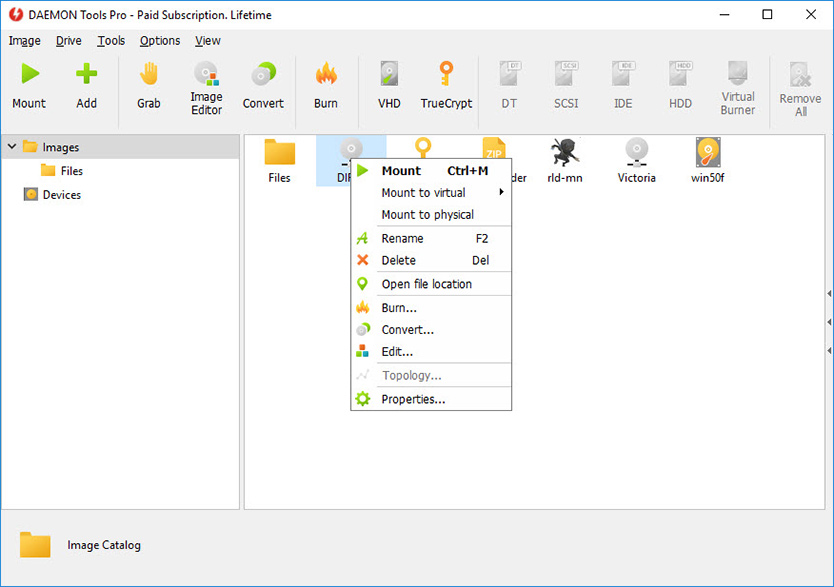
一個虛擬光碟軟體,支援許多常見的光碟影像檔,還可以用它製作光碟影像檔。
- DAEMON Tools Pro
- 軟體版本 : 8.3.1.811
- 軟體分類 : 32光碟相關 (虛擬光碟)
- 語言介面 : 多國語言
- 作業系統 : Windows(含Win11)
- 軟體性質 :
- 使用限制 : 天數限制
- 檔案大小 : 32.34 MB
- 官方網站 : daemon-tools.com
- 點閱次數 : 359,529下載次數 : 143,604
- 更新時間 : 2022/9/1 上午 12:04:26
軟體簡介
這是一個檔案相當小的虛擬光碟機工具軟體,它支援ps,並支援加密光碟,安裝完後你不需要重新動電腦即可使用虛擬光碟機了。
它也是一個相當先進的類比備份並且合併保護的軟體,它可以備份SafeDisc保護的軟體,可以打開CUE,ISO and CCD 等這些虛擬光碟機的鏡像檔。
說明介紹
【各版本比較】
Feature DT Lite [Commercial] DT Pro Standard DT Pro Advanced Graphical user interface [GUI] - to make mounting of CD/DVD images and other operations more convenient No
Yes
Yes
Capability to make CD/DVD images to back up your data No
Yes
Yes
Command line interface Yes
Yes
Yes
SCSI adapter emulation Yes
Yes
Yes
Maximum number of supported SCSI virtual devices 4
16
32
IDE adapter emulation* No
No
Yes
Maximum number of supported IDE virtual devices -
-
2
CD/DVD Image compression Yes
Yes
Yes
CD/DVD Image mounting to the physical folders No
Yes
Yes
CD/DVD Image password protection Yes
Yes
Yes
CD/DVD Image collection's management No
Yes
Yes
Shell Extensions
No
Yes
Yes
System Tray Agent Yes
Yes
Yes
Virtual devices' properties monitoring
No
Yes
Yes
CD/DVD Image converter No
No
Yes
* vIDE is currently supported on all 32 bit platforms (x86), and on Windows Vista x64.
This functionality is NOT implemented for Windows XP x64, Windows 2003 x64 and Windows 7 yet.
** DAEMON Tools Lite does not work on Windows 7 now.
版本說明
x64/x86_64 : 64 位元x32/x86/i386 : 32 位元amd64 : Intel/AMD 64 位元arm64/aarch64 : arm 64 位元安裝版 : 軟體需經過安裝程序才可執行免安裝版/可攜式版 : 軟體不需安裝即可執行
圖片參考
圖片來源 : img.disc-soft.com
圖片來源 : img.disc-soft.com
網編推薦.

多語 FxSound 1.2.6.0
適用於 Windows 的最佳免費聲音增強器,FxSound 可以在 Windows 系統上幫你提升音量、低音和音質。
音樂 : FxSound 糾正了您的設備和壓縮音訊的限制。
視訊遊戲 : 環繞聲讓您完全沉浸在虛擬世界中。
電視和電影 : FxSound 可以平滑和改善您喜愛的節目和電影的音訊。
轉錄 : FxSound 提高您聲音的清晰度以保持您的理智。
最新焦點

多語 CrystalDiskInfo 9.9.1 安裝版 Standard Edition
透過硬碟本身 S.M.A.R.T. 檢測我們的硬碟是否有異常。
網編推薦.
多語 Files 4.1.0 for Windows App-Installer
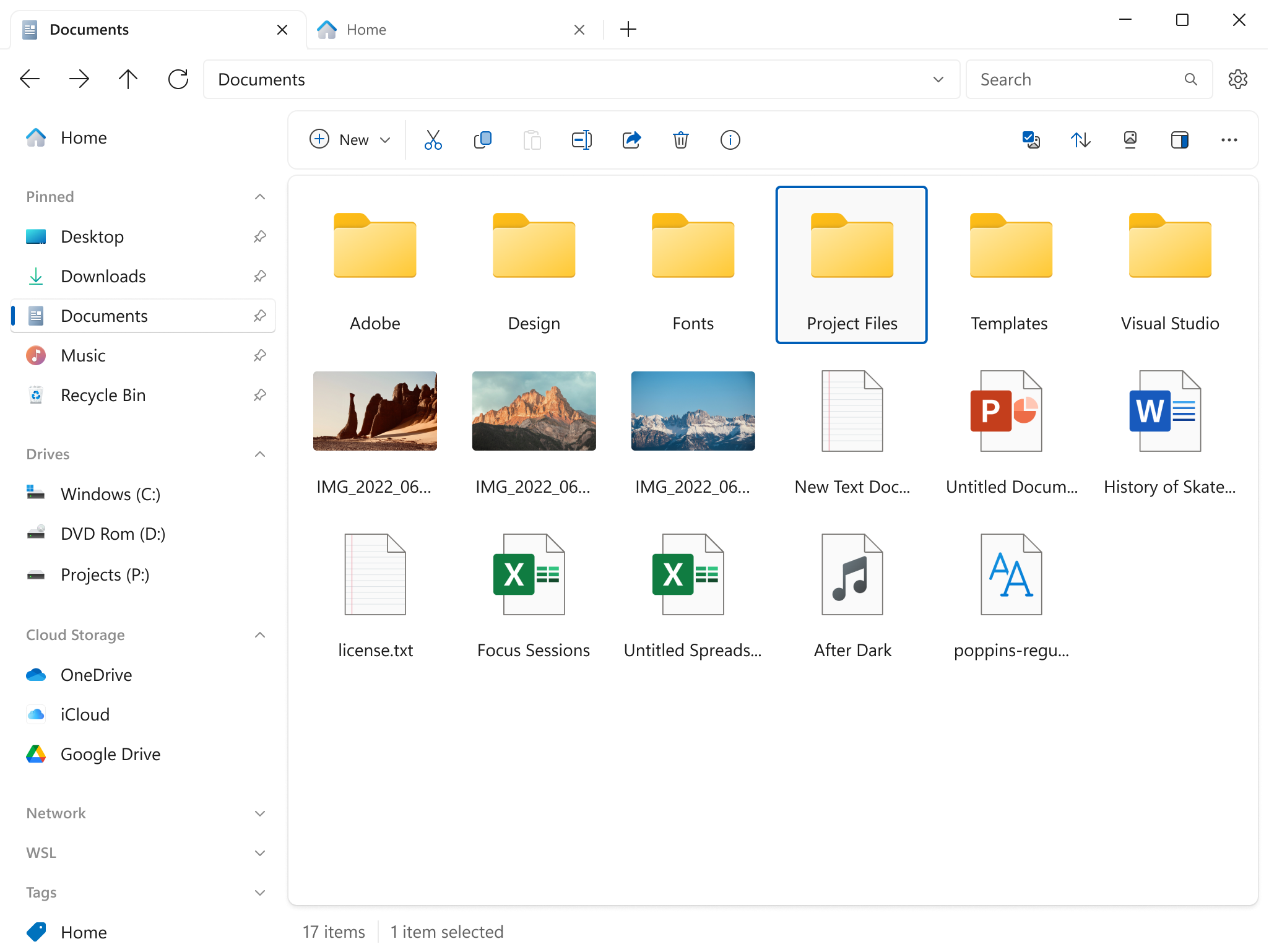
Files 是一款適用於 Windows 的檔案管理器,具有強大而直觀的設計,它具有多個選項卡、窗格、列、上下文選單和標籤中的shell擴展等功能。
磁碟機部分列出了所有可用的存儲設備,並顯示可用空間量以及總容量。
您瀏覽的檔案顯示在「最近的項目」下,您可以右鍵點擊某個項目以將其從列表中刪除或清除整個列表。
窗格頂部的工具欄類似於 Web 瀏覽器的導航控件。它有 4 個選項後退、前進、上一級和刷新。